Measurements
A measurement family is a physical dimension — length, weight, angle — with the units it may be expressed in and one standard unit the platform converts against. A number attribute bound to a family stores an amount plus a unit instead of a bare number.
Where you find it
Commerce Studio › PIM › Data model › Measurements —
/commerce/data-model?tab=measurement-families.
What it does
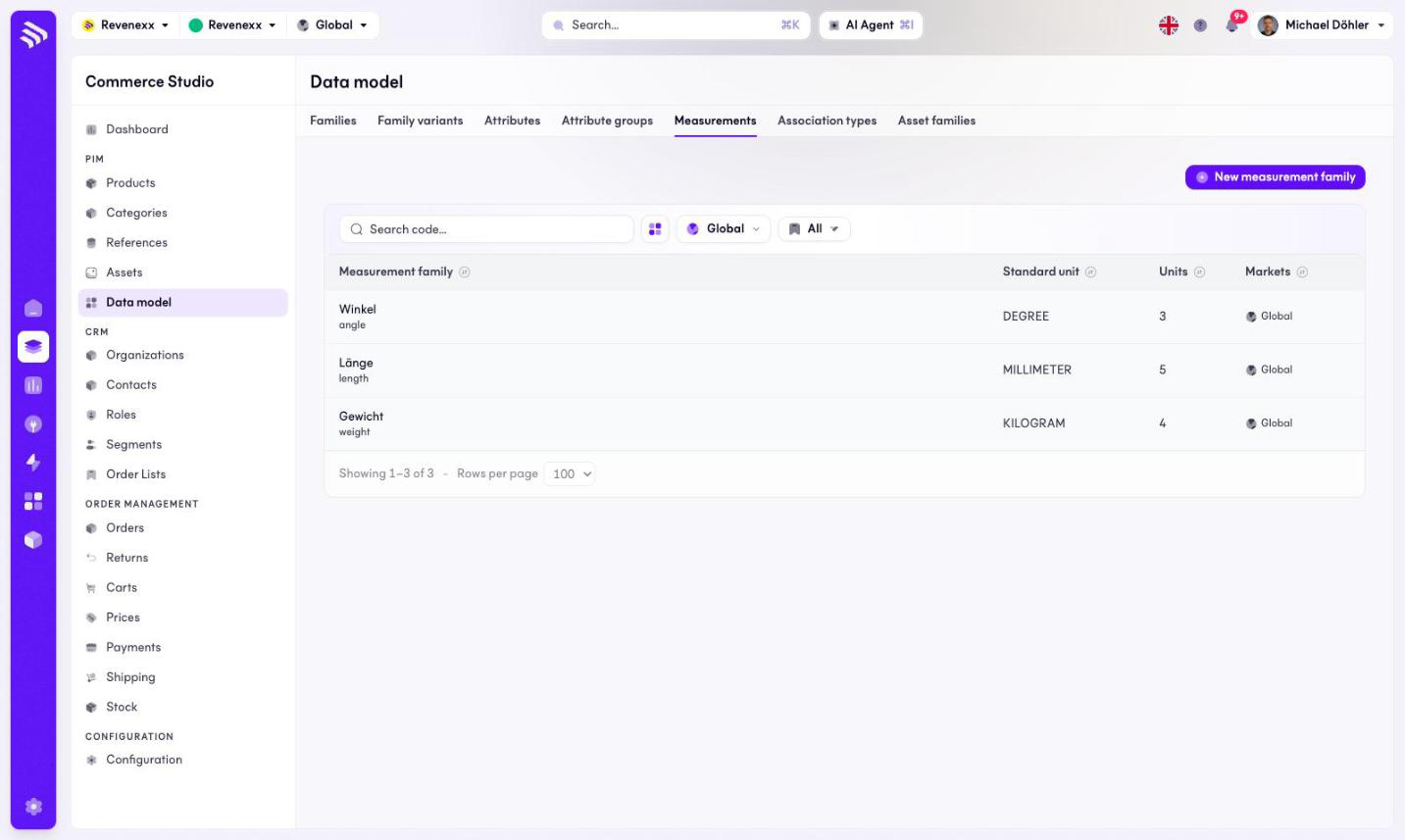
The tab lists the measurement families with their standard unit and their unit count — for example length with millimetre as standard and five units. New measurement family creates one; a search box finds one by code.
Fields and controls
| Column | What it shows |
|---|---|
| Measurement family | Name and code. |
| Standard unit | The unit conversions resolve against, for example MILLIMETER. |
| Units | How many units the family carries. |
| Markets | Market assignment. |
What happens when you change it
A new measurement family becomes available to number attributes; a value
stored as 10 bar or 1.4 KILOGRAM keeps its unit next to the amount.
Permissions
The products app declares create, read, update and delete on measurement families in its manifest. Which Cockpit roles may open this screen is not verified.
Related
- Guide: Measurements
- Attributes