Carriers
A carrier is a row, not a string: it owns the tracking URL format, the service level, the delivery estimate and the daily cut-off — the facts one shop-wide setting could never hold for DHL and a pallet forwarder at once.
Where you find it
Commerce Studio › Order Management › Shipping › Carriers —
/commerce/shipping/carriers.
What it does
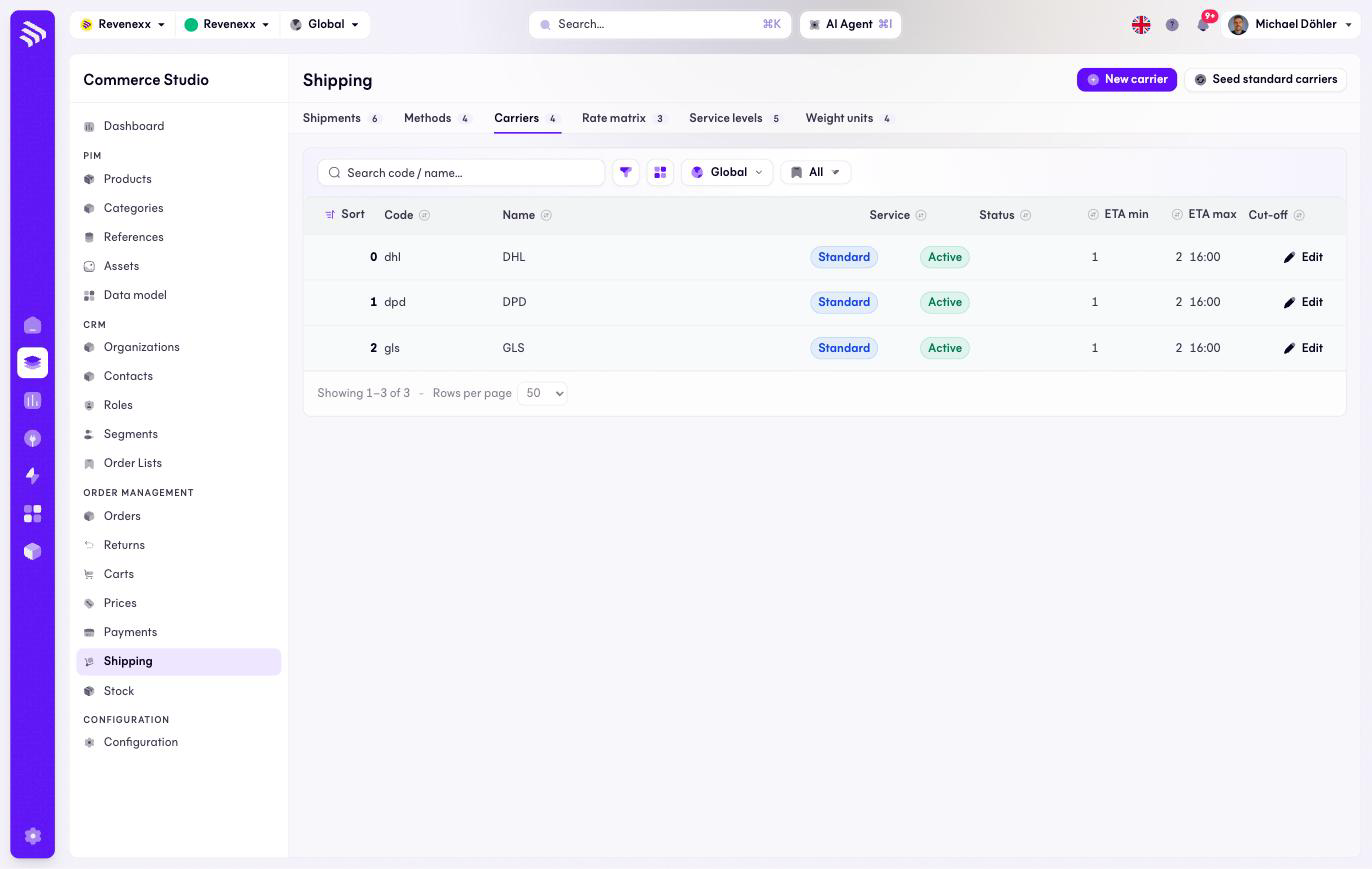
One row per carrier and class of service — DHL Paket and DHL Express are two rows the way they are two methods. Seed standard carriers loads the common parcel networks so a fresh tenant starts with DHL, DPD and GLS instead of an empty list.
Fields and controls
| Column | What it shows |
|---|---|
| Sort | Display order. |
| Code | The stable identifier, for example dhl. |
| Name | The carrier's name. |
| Service | The service level, for example Standard. |
| Status | Active, Paused or Retired. |
| ETA min / ETA max | The delivery estimate in days. |
| Cut-off | The daily pickup deadline, for example 16:00. |
Actions: New carrier, Seed standard carriers, and a per-row Edit.
What happens when you change it
Setting a carrier to Paused or Retired takes every method shipping with it out of the checkout quote in one switch — a lapsed contract is one change, not six methods disabled one by one. Tracking links for parcels already shipped keep working. The cut-off time feeds the delivery estimate: an order after 16:00 ships a day later.
Permissions
The shipping app declares create, read, update and delete on shipping carriers in its manifest. Which Cockpit roles may open this screen is not verified.