Shipping
Rate matrix
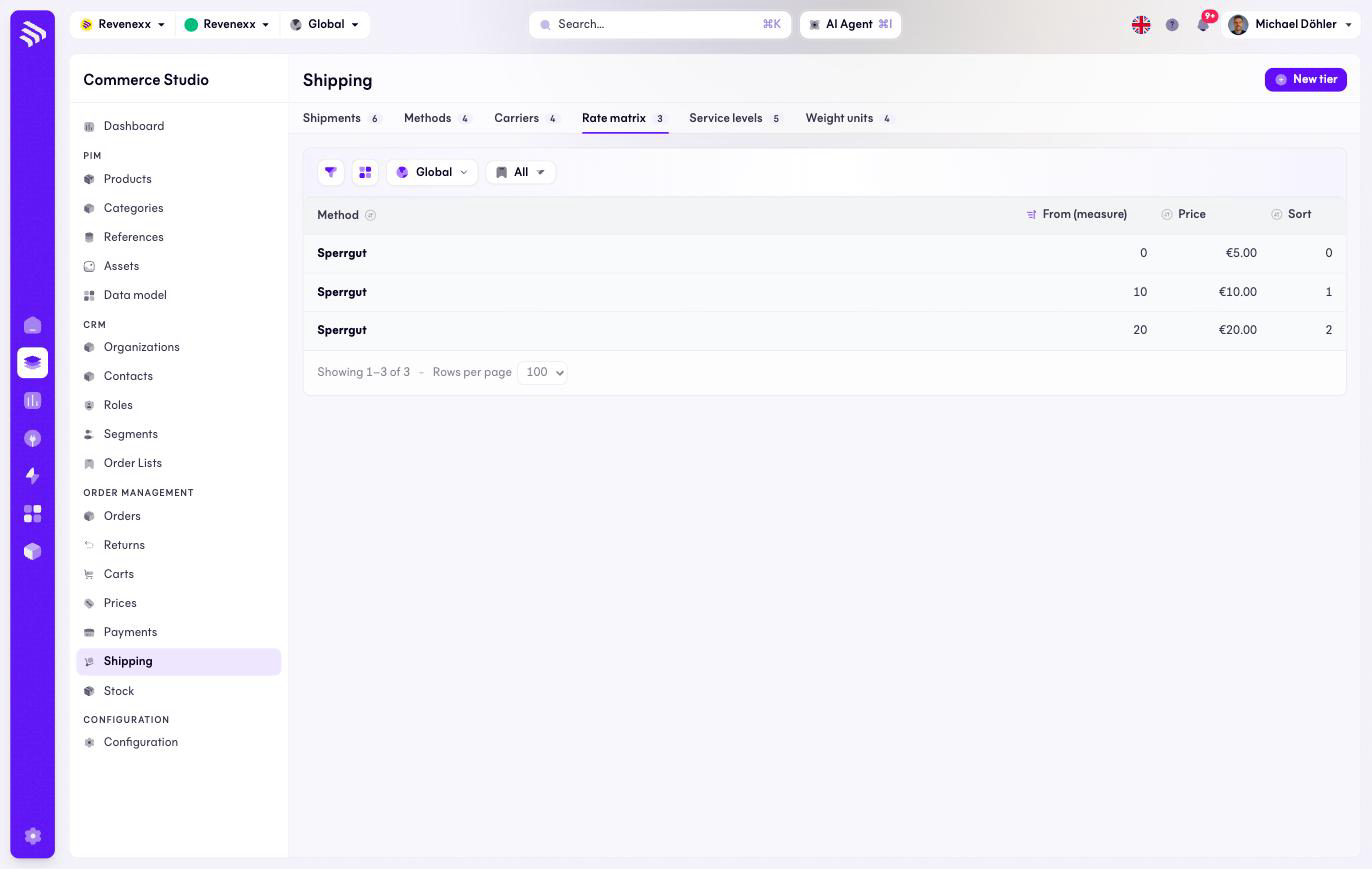
The Rate matrix tab: the tier tables behind matrix-priced shipping methods.
The rate matrix holds the tier tables of matrix-priced methods: from 0 kg → 5 €, from 10 → 10 €, from 20 → 20 €. The tier with the highest threshold at or below the measured value wins.
Where you find it
Commerce Studio › Order Management › Shipping › Rate matrix —
/commerce/shipping/tiers.
What it does
One row per tier, grouped by the method it belongs to. A bulky-goods method priced "by weight" gets its whole ladder here. This tab has no text search.
Fields and controls
| Column | What it shows |
|---|---|
| Method | The matrix-priced method the tier belongs to. |
| From (measure) | The threshold on the method's measure. |
| Price | The price from that threshold. |
| Sort | Tier order. |
Action: New tier.
What happens when you change it
A changed tier reprices the method on the next checkout quote. Mind the gaps: a measured value below the lowest threshold has no tier to land on.
Permissions
The shipping app declares create, read, update and delete on shipping rate tiers in its manifest. Which Cockpit roles may open this screen is not verified.
Related
- Shipping methods
- Guide: Shipping