Shipping methods
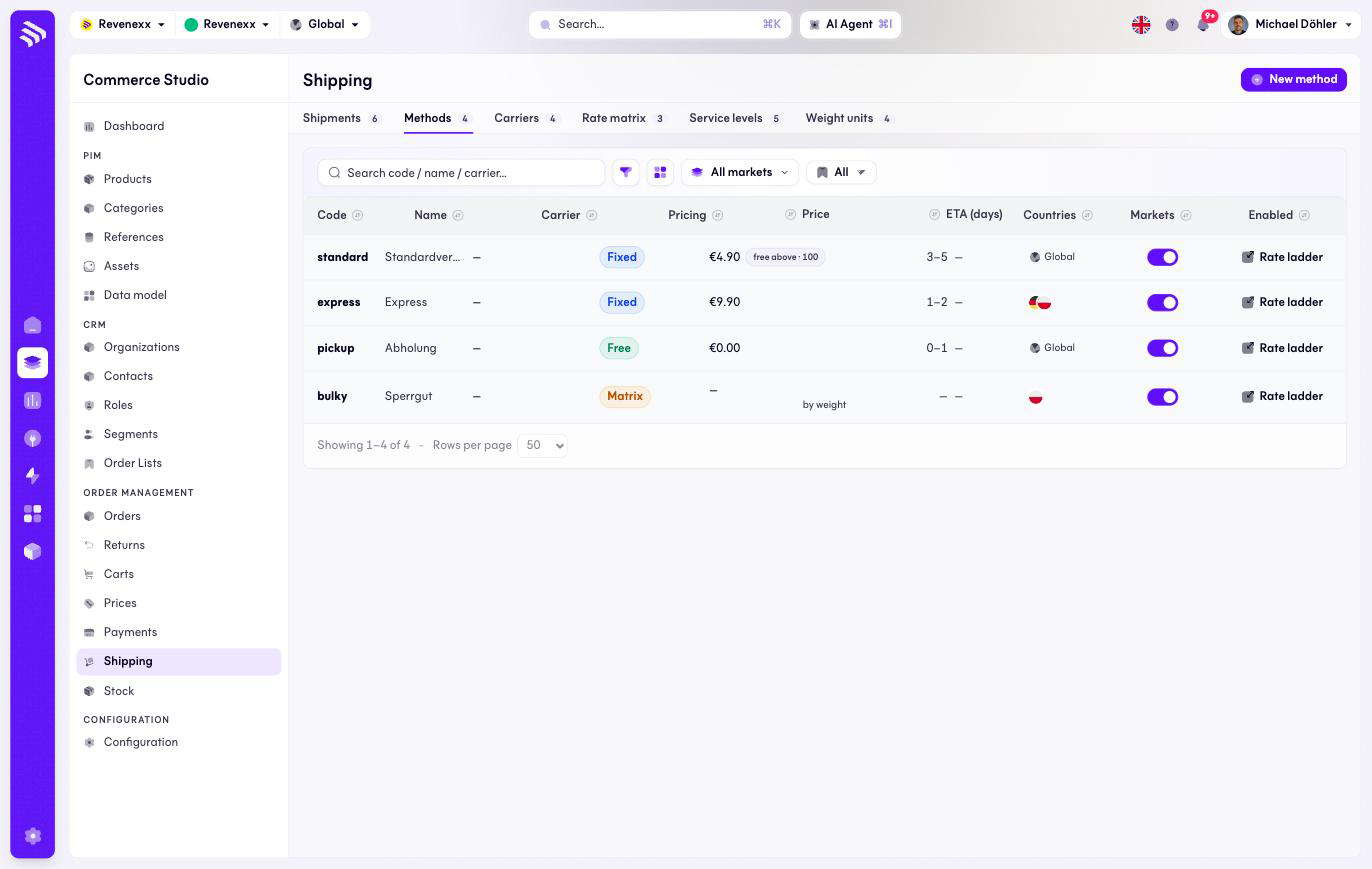
Shipping methods are what the checkout offers: standard, express, pickup, bulky goods. Each method has one of three pricing models — a fixed price, free, or a matrix over weight, quantity, order value or a product attribute.
Where you find it
Commerce Studio › Order Management › Shipping › Methods —
/commerce/shipping/methods.
What it does
One row per method with its pricing badge (Fixed, Free or Matrix), the price, the delivery estimate and an enabled switch. A fixed method can carry a free-above threshold — standard at 4,90 €, free from 100 € — and a matrix method points at its tiers on the rate matrix.
Fields and controls
| Column | What it shows |
|---|---|
| Code | The stable identifier, for example standard. |
| Name | What the buyer sees. |
| Carrier | The carrier that ships it, when set. |
| Pricing | Fixed, Free or Matrix. |
| Price | The fixed price, with the free-above threshold where set. |
| ETA (days) | The delivery estimate, for example 3–5. |
| Countries | The country restriction, when set. |
| Markets | Market assignment — express can be Poland-only. |
| Enabled | The on/off switch, editable in the row. |
Actions: New method, and per row the enabled toggle and Rate ladder.
What happens when you change it
Disabling a method removes it from the checkout quote. The free-above threshold wins over every pricing model — above it the method costs nothing. A method whose carrier is paused or retired drops out of the quote with it.
Permissions
The shipping app declares create, read, update and delete on shipping methods in its manifest. Which Cockpit roles may open this screen is not verified.
Related
- Rate matrix
- Carriers
- Guide: Shipping